
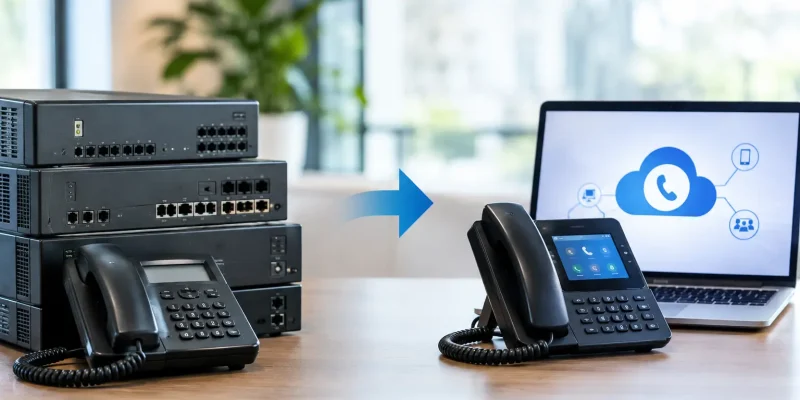
A PBX replacement rarely fails because the new platform cannot make calls. It fails when number porting, carrier connectivity, call flows, user adoption, or fallback planning are treated as details to solve later. Organizations that migrate legacy PBX systems successfully treat the change as a business continuity project, not a phone-system refresh.
For UAE and GCC organizations, the stakes are higher. A migration may involve local PSTN connectivity, TDRA requirements, data location decisions, multi-site operations, contact center queues, and employees using Microsoft Teams or Zoom. The right approach protects the calls your business depends on while creating a communications foundation that can grow with it.
Why legacy PBX systems become an operational risk
A legacy PBX can remain functional long after it stops serving the organization well. Hardware may be approaching end of life, replacement cards can be difficult to source, and a small configuration change may require a specialist who knows a system few people still understand. These are not only IT concerns. When a call queue fails, a branch loses connectivity, or a customer cannot reach the right department, revenue and customer confidence are affected.
The limitations are often less visible at first. Traditional PBX environments can make it difficult to support remote teams, add a temporary office, report on call handling, or connect voice with CRM, help desk, and contact center tools. Separate systems for office calling, mobile users, and customer service also create unnecessary administration and inconsistent customer experiences.
Cloud PBX, hybrid telephony, and unified communications platforms address many of these issues, but they are not interchangeable. A small company may benefit from a managed cloud PBX with straightforward auto attendants and mobile apps. A larger organization may need Microsoft Teams Phone with Direct Routing, a Session Border Controller, local PSTN connectivity, and policy-based call routing. A contact center may require XCALLY or QueueMetrics capabilities that go beyond standard business telephony.
How to migrate legacy PBX systems without disruption
The safest migration follows a phased design. It begins with discovery, validates the target environment in a controlled pilot, and moves users in manageable groups. A rushed cutover can appear efficient until an executive line, emergency route, fax service, door intercom, or contact center queue is missed.
Start with a communications inventory, not a product shortlist
Before selecting a platform, document what the existing PBX actually does. This includes direct inward dial numbers, extension ranges, hunt groups, auto attendants, voicemail, call recording, business-hour rules, failover routes, analog devices, and integration points. Identify which numbers are published to customers and which departments cannot tolerate even a short interruption.
The inventory should also include call volumes and traffic patterns. A reception team with periodic inbound calls has different requirements from a sales organization handling peak campaigns or a service center operating across time zones. Review WAN links, branch connectivity, Wi-Fi coverage for softphone users, and power resilience for network equipment. Voice quality depends on the full path, not only the PBX platform.
This discovery phase is also where teams uncover hidden dependencies. Elevator phones, alarms, access-control intercoms, point-of-sale terminals, and fax machines may still rely on analog lines. Some can be replaced; others may require gateways or a retained service during the transition. Removing them from the plan does not remove the dependency.
Choose the right deployment model
There is no universal answer to cloud versus on-premises telephony. A cloud PBX can reduce hardware management and make new locations easier to support. A hybrid design can retain selected local services while moving most users to cloud calling. An on-premises deployment may still be appropriate where a business has specialized operational needs, established infrastructure, or strict local control requirements.
The decision should be based on uptime objectives, site connectivity, compliance, application integration, and support capability. For example, Microsoft Teams Direct Routing is a practical choice for organizations already using Teams as their daily collaboration hub. Zoom Phone BYOC may fit teams standardized on Zoom. Yeastar Cloud PBX can provide a flexible path for businesses that want managed calling without a complex enterprise collaboration rollout.
In each case, the design needs clear PSTN connectivity and a properly configured Session Border Controller where Direct Routing or BYOC is involved. The SBC is not a minor technical component. It provides the controlled edge between your communications platform and telecom services, supporting security, routing policies, interoperability, and resiliency.
Design resilience before moving the first user
A migration plan should define what happens when the internet connection, a cloud service, a branch router, or a carrier path is unavailable. This may include dual WAN links, diverse carrier paths, automatic call forwarding, survivability options at priority locations, and alternate calling methods for essential users.
For multi-site businesses, avoid routing every call through one office unless the risk is understood and accepted. Regional routing, local breakout, and failover rules can keep sites reachable during an outage. Contact centers need additional attention: queue overflow, agent availability, recorded announcements, after-hours rules, and supervisor access must all be tested under failure conditions.
Security belongs in this design stage as well. Use encrypted signaling and media where supported, strong administrator access controls, network segmentation, and regular monitoring of call activity. Toll fraud remains a real risk when voice systems are exposed or poorly configured. A secure design limits access, detects unusual patterns, and makes escalation responsibilities clear.
Handle number porting as a controlled workstream
Keeping established business numbers is usually a priority, but porting is not an administrative afterthought. Confirm number ownership, account details, current carrier information, required authorization documents, and porting lead times early. In the UAE, local telecom connectivity and regulatory alignment should be planned with providers familiar with the requirements of e& and du environments.
Build a number-by-number migration schedule. Critical published numbers, executive lines, reception numbers, and contact center lines may require separate treatment. During the cutover window, verify inbound and outbound calling, caller ID presentation, emergency routing, international dialing permissions, voicemail, and routing to each department.
A temporary forward may be appropriate for some numbers, but it should not become a permanent workaround. The goal is a clean, documented routing model that is easy for the internal team to manage after the project closes.
Test the real customer journey
Technical testing is necessary, but dial tone alone is not acceptance criteria. Test from the customer perspective. Call the main number during business hours and after hours. Choose each menu option. Confirm transfers to mobile and remote users. Place callers into queues, test callback rules, and verify that recordings, reports, and CRM screen pops work as intended.
Include representative users in a pilot group: reception, sales, finance, operations, remote employees, and contact center supervisors. Their feedback exposes practical issues that configuration reviews can miss, such as headset compatibility, confusing softphone behavior, notification settings, or calls dropping when users move between networks.
Document a rollback plan before the pilot begins. A rollback is not an admission that the new solution is unreliable. It is a responsible control that defines who can make the decision, how calls will be redirected, and how users will be informed if a significant issue appears.
Prepare people and support teams for the change
The most capable platform still creates friction if employees do not know how to transfer calls, set presence, access voicemail, or use a mobile client. Training should be role-based and close to the migration date. A receptionist needs different instruction from a remote salesperson or contact center agent.
Give users a short, practical guide with the tasks they perform most often. Ensure the service desk has escalation paths, administrator access, and a current record of number assignments and call-flow ownership. During the first days after cutover, increased support coverage is usually more valuable than adding new features.
Cloud Move approaches PBX migration as an end-to-end operational transition, combining solution design, local telecom connectivity, security controls, implementation, and ongoing support. That model matters because communications systems need attention after go-live, not only on cutover day.
Measure improvement after migration
Set baseline measures before the move so the business can judge results in operational terms. Useful measures include abandoned-call rates, queue wait times, first-contact resolution, mean time to resolve voice issues, call quality incidents, and the time required to add a user or new location.
Review these results after 30, 60, and 90 days. The first review often identifies simple improvements: a better auto-attendant menu, revised queue thresholds, adjusted business hours, or additional training for a department. Over time, reporting and integrations can turn the new phone environment into a more useful customer experience platform.
The best migration is not the one with the fastest cutover. It is the one that leaves your teams confident, your customers able to reach you, and your business ready to adapt without rebuilding its communications foundation again.